
 MCP
MCP

Drive ComfyUI from any AI agent, local or cloud.
Turn your agent into a creative technologist. Generate images, video, audio and 3D, search models, nodes and templates, and run real workflows. Built for batch generation, reproducibility and teamwork.
explore 4 hero directions — pick one to take forward
your agent has Comfy's tools

keyframe board
keyframes/ · ×8

set extension
set_extension.png

campaign key art
campaign_keyart.png

3d asset
hero_prop.glb · 24k tris

character design
hero_turnaround.png · 4-view
Set up Comfy MCP
Pick where it runs: Comfy Cloud GPUs, or your own machine. Add the server yourself or ask your agent to install it, and the full ComfyUI toolset lands in your chat.
To use Comfy Cloud via MCP, you need a subscription of any tier. A credit top-up alone isn't enough to run generations.
Add Custom Connector
Add this URL as a custom connector or remote MCP server in your client, then sign in when prompted.
Click Customize in the sidebar, open Connectors, choose Add custom connector, paste the URL above, and sign in.
Everything ComfyUI can do, now available as tools.
Generate anything
Generate images, video, audio, 3D, upscale, or remove backgrounds. Add or remove elements in images, create or modify any visual, audio, or 3D asset at any scale.
Search the ecosystem
Query thousands of models, browse rankings, and choose workflow templates straight from your response.
Run real workflows
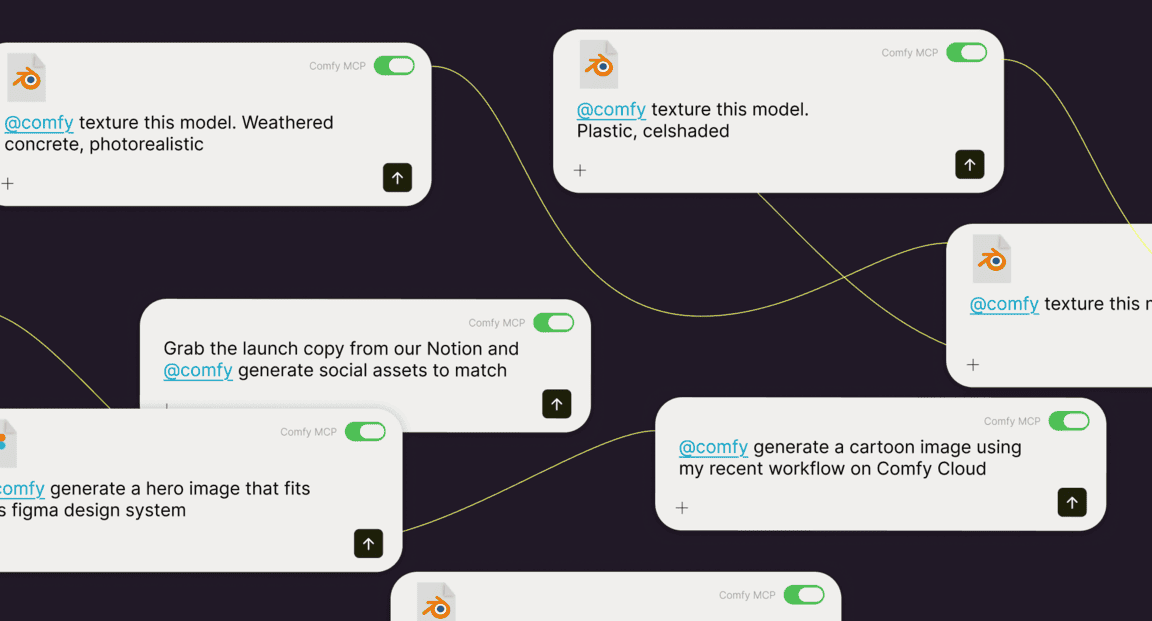
Submit graphs, track jobs, and pull outputs back. It reads the workflows you already have, so you start where you are: save, share, and reuse them, or open any run on the ComfyUI canvas — the full engine, driven by tool calls.
Direct any model
MiniMax H3, Seedance, Flux, GPT-Image, Nano Banana, Kling, Z-Image, ElevenLabs, HY3D, and more. Closed partner APIs and open-source models, reached through one set of tools.

Generate in batches
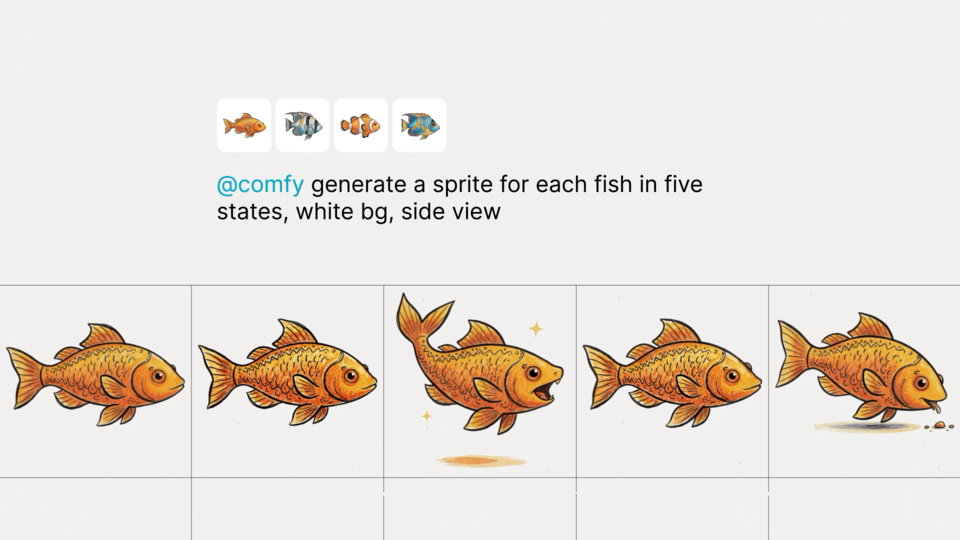
Stack a batch on the Queue, track it, and pull back every output. Dozens of runs from a single call.
Ship it as an app
Turn any workflow into an app with a shareable URL. Collaborators run it in the browser — only the inputs you expose, nothing to install.
Production use cases.
One prompt, a real campaign: batch pack shots for every SKU, character sheets from a saved workflow, outputs filed straight back into your project folders.
Why build on Comfy MCP?
The first MCP built for production pipelines: trusted infrastructure that lets engineers and professionals ship faster.
Open protocol, any client.
MCP is an open standard, so any MCP-compatible client can connect: Claude Code, Claude Desktop, Codex, Cursor, and more. Sign in with OAuth or an API key on cloud; local runs need no account at all.
The full engine, not a sandbox.
Same tool your team uses. Fully connected multi-step, multi-GPU workflows, with best-practice templates that update as the ecosystem moves. Everything available now and in the future.
Reproducible by design.
Every generation is a workflow: rerun it, share it by URL, hand it to a teammate. Made for long-term projects, not one-off generations. Outputs land in your Comfy library to store, reuse, and remix.
Your GPUs, or ours.
Run without a GPU on Comfy Cloud, or go local and let the agent do the hard part: it reads your machine (models, custom nodes, VRAM), untangles complex open-source workflows, and builds ones your hardware can actually run.
How it works
01
CONNECT
Connect the cloud server with one URL and an OAuth sign-in, or pip install the open-source local server. Most clients happily run both.
02
DISCOVER
Your agent gets Comfy's tools: search, generate, submit, and retrieve — everything it needs to create.
03
CREATE
Request what you want, the agent queues and runs the workflow, and returns the finished result.
The AI creation engine for complete control
Over every model, every node, every step, every output.
Comfy Desktop
Run ComfyUI on your own hardware.
SEE DESKTOP FEATURESComfy Cloud
The full power of ComfyUI from anywhere.
SEE CLOUD FEATURESDeveloper Platform
Deploy and scale ComfyUI workflows.
SEE PLATFORM FEATURESComfy Enterprise
Enterprise-grade infrastructure for the creative engine inside your organization.
SEE ENTERPRISE FEATURESQ&As
Any MCP-compatible client. For the cloud connection, add https://cloud.comfy.org/mcp as a custom connector or remote MCP server, then sign in when prompted. For the local connection, your client launches the open-source comfy-mcp server: Claude Code, Claude Desktop, Cursor, and any client that supports stdio servers. Send the docs https://docs.comfy.org/agent-tools/mcp.md to your agent and it will figure out the installation for you.
For the cloud connection: https://cloud.comfy.org/mcp — add it as a custom connector or remote MCP server in any client, then sign in when prompted. The local connection has no URL: your client launches the comfy-mcp command directly and talks to it over stdio.
The cloud connection is hosted: one URL, nothing to install, and workflows run on Comfy Cloud GPUs with our model catalog. The local connection is open source: your client launches the comfy-mcp server on your machine, and it drives your own ComfyUI — your models, your custom nodes, your GPU. Which one to choose: new users should start with cloud — it is the simplest setup, and the more compatible choice for claude.ai, ChatGPT, and Claude Desktop. Pick local if you already run ComfyUI on your machine or work mostly in a coding agent like Claude Code, Cursor, or Codex. One caveat for Mac users: today's big open-weight models will not run at a workable speed on the Apple GPU, so run those on cloud.
Yes. Most clients happily run two MCP servers side by side, and they authenticate independently: the cloud connection signs in to your Comfy account, while the local one needs no sign-in at all until you run partner models. Prototype free on your own GPU, then send the heavy batch to cloud GPUs from the same chat.
In short, no. On the local connection, driving your own ComfyUI needs no key and no account. You only sign in when you run partner models: through comfy-cli with a browser sign-in, or with a Comfy API key. On the cloud connection, Claude Code, Claude Desktop, Codex, and OpenClaw sign in with OAuth; Cursor and Hermes need a Comfy API key for now. Just copy https://docs.comfy.org/agent-tools/mcp.md and your agent will figure out the installation for you.
On the local connection, runs on your own hardware are free, and the server is open source. Partner models are the exception: they run on partner infrastructure and spend Comfy credits from your account, so you sign in before using them. On the cloud connection, connecting and searching are free, and running a generation uses Comfy Cloud credits — you need a subscription of any tier; a credit top-up alone isn't enough. Either way, your agent confirms with you before it spends.
The local connection is: comfy-mcp lives at https://github.com/Comfy-Org/comfy-mcp and installs from PyPI with pip install comfy-mcp. The cloud connection is a hosted service in front of Comfy Cloud.
• Generate images, video, audio, and 3D — including all open-source workflows and partner models like Seedance, GPT-Image, Nano Banana, and Kling • Build, edit, and run workflows; save and re-run workflows • Run and read in large batches • Search models, nodes, and template workflows • Read and execute shared workflow URLs • Upload and download assets for you Everything is in natural language, with no nodes or node graphs if you don't want them. On the cloud connection there is nothing to download and no GPU needed; the local connection drives the ComfyUI already installed on your machine.
On the cloud connection, into your Comfy Cloud asset library, so you can reuse, remix, and share them — and open any run on the canvas to keep editing. You can also ask your agent to download the assets locally for you. On the local connection, outputs land in your ComfyUI output folder, and your agent can copy them anywhere you name.